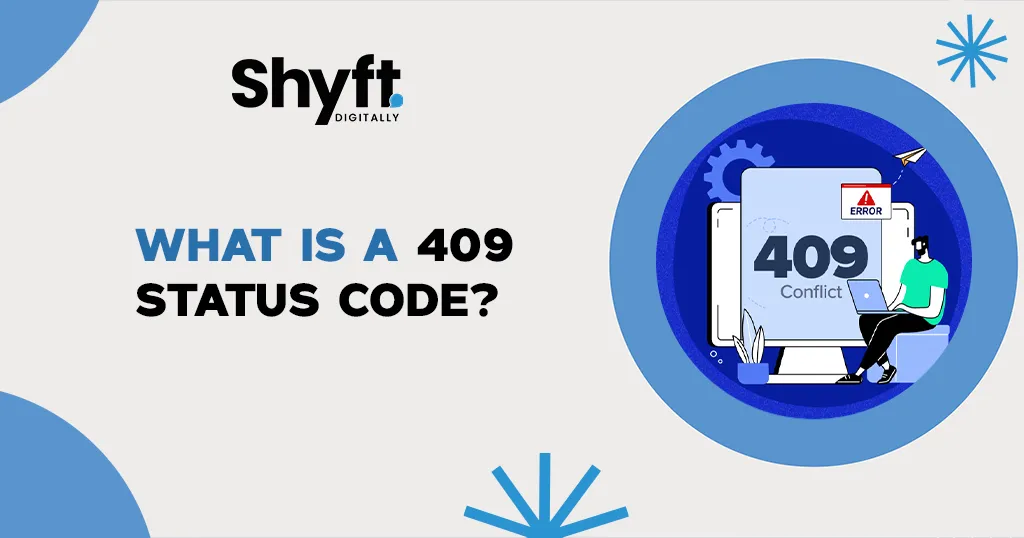
The 409 status code, referred to as “Conflict,” is an HTTP response status that indicates a request cannot be processed due to a conflict with the resource’s current state on the server. It is commonly seen in scenarios where simultaneous actions or conflicting requests are being made on the same resource, or when business logic and rules prevent the server from fulfilling the request.
In this blog, we’ll explore the 409 status code in-depth, including its technical meaning, common causes, real-world applications, strategies for resolution, and actionable steps to prevent such errors. Whether you’re a developer, system administrator, or technical user, understanding this status code will help improve your ability to manage conflicts in data-driven systems.
Understanding HTTP Status Codes
HTTP status codes are fundamental to how the web works. They communicate the result of a client’s request to the server, letting the client know whether the operation succeeded, failed, or required further action. These codes are divided into five categories:
- 1xx Informational: The server has received the request and is continuing to process it.
- 2xx Success: The request was successfully completed.
- Example: 200 OK, which indicates the request was processed without issues.
- 3xx Redirection: Further action is required to complete the request.
- Example: 301 Moved Permanently, which means the resource has been moved to a new URL.
- 4xx Client Errors: The client made an error in the request, such as providing invalid data or trying to access a nonexistent resource.
- Example: 404 Not Found, which indicates the requested resource doesn’t exist.
- 5xx Server Errors: The server encountered an error while processing a valid request.
- Example: 500 Internal Server Error, which indicates a general server-side issue.
The 409 Conflict belongs to the 4xx category. Unlike many other 4xx errors, which are purely caused by invalid requests, the 409 Conflict arises when the request is valid but cannot be completed because of conflicts in the resource’s current state.
What Does the 409 Status Code Mean?
A 409 Conflict occurs when the server identifies a logical conflict between the client’s request and the state of the resource. This is not due to syntax errors (as with 400 Bad Request) or authentication issues (as with 401 Unauthorized), but rather because completing the request would result in data inconsistencies or violate server-enforced rules.
Why Is a 409 Conflict Used?
The 409 status code is used to:
- Protect Data Integrity: By preventing conflicting operations, the server ensures that resources remain accurate and consistent.
- Enforce Business Rules: The server stops operations that violate predefined conditions, such as duplicate entries or unauthorized modifications.
- Highlight Simultaneous Access Issues: In collaborative systems, the 409 status code signals that another client is modifying the same resource.
Common Scenarios for a 409 Status Code
Here are the most frequent causes of a 409 Conflict error, along with examples for better understanding:
1. Simultaneous Updates
Multiple clients or users attempt to modify the same resource at the same time. The server rejects one of the updates to avoid overwriting data.
- Example: Two users try to edit a shared document simultaneously. If one user saves changes while the other is still editing, the second user’s request may result in a 409 Conflict.
2. Duplicate Resource Creation
A 409 error can occur when a client tries to create a resource with an identifier or unique property that already exists in the system.
- Example: A user attempts to register with an email address that is already in use, and the server prevents the creation of a duplicate account.
3. Version Control Conflicts
In version-controlled systems, a 409 error may occur when a client attempts to update a resource using outdated information. This ensures that newer changes are not unintentionally overwritten.
- Example: A developer pushes changes to a file in a version-controlled repository but is rejected because another developer has already updated the file.
4. Database Constraints
A 409 error occurs when a request violates database rules, such as unique constraints or primary key restrictions.
- Example: A request tries to insert a duplicate entry into a database table that requires unique values, such as user IDs or email addresses.
5. Violations of Business Logic
Servers enforce rules based on business requirements, and requests that breach these rules may result in a 409 error.
- Example: Attempting to delete a user account that still has active subscriptions or pending transactions.
6. Resource Locking
In systems that use resource locking to manage updates, a 409 Conflict may occur if a client attempts to modify a locked resource.
- Example: Trying to edit a form that has been locked by another user or process for editing.
Technical Examples of a 409 Status Code
Example 1: API Resource Conflict
A REST API request attempts to update a resource that has been modified since it was last retrieved:
Client Request:
PUT /users/123 HTTP/1.1
If-Match: “etag12345”
Content-Type: application/json
{
“name”: “John Doe”,
“email”: “john.doe@example.com”
}
Server Response:
HTTP/1.1 409 Conflict
Content-Type: application/json
{
“error”: “Conflict”,
“message”: “The resource has been modified since your last request. Please retrieve the latest version.”
}
Example 2: Duplicate Entry
A user attempts to register with an email address already in use:
Client Request:
POST /register HTTP/1.1
Content-Type: application/json
{
“email”: “existing.user@example.com”,
“password”: “securepassword”
}
Server Response:
HTTP/1.1 409 Conflict
Content-Type: application/json
{
“error”: “Conflict”,
“message”: “A user with this email already exists.”
}
Resolving a 409 Status Code
1. Fetch the Latest Resource State
- Retrieve the most recent version of the resource before attempting any updates.
- Use APIs that support mechanisms like GET requests to fetch updated data.
2. Use Concurrency Control
- Implement optimistic concurrency control using ETags or timestamps to detect conflicts.
- Include headers like If-Match or If-Unmodified-Since in update requests to ensure they only succeed if the resource hasn’t changed.
3. Validate the Request
- Before creating a resource, validate that it doesn’t already exist. For example, check if a username or email is already in use.
4. Retry the Request
- In some cases, retrying the request after a brief delay can resolve the conflict, especially in systems where transient conflicts occur.
5. Handle Duplicates Gracefully
- Return detailed error messages to users if their request conflicts with existing resources.
- Allow users to take corrective action, such as modifying their input.
Best Practices to Prevent 409 Conflicts
1. Implement Version Control
Use ETags or version numbers to track changes to resources. Clients should include the resource version in their requests, and the server should verify it before processing updates.
2. Enforce Database Constraints
Apply unique constraints on fields like email, username, or ID to prevent duplicate entries at the database level. Ensure your application handles violations with descriptive error messages.
3. Lock Resources During Updates
Use locking mechanisms to prevent multiple processes or users from modifying the same resource simultaneously.
4. Provide Descriptive Error Responses
Include detailed error messages and suggestions for resolving conflicts. For example, if a duplicate entry is the issue, let users know what fields are causing the conflict.
5. Preemptive Validation
Check for potential conflicts before submitting a request. For example, check if an email or username is already registered before sending a request to the server.
6. Use Retry and Backoff Strategies
For transient conflicts, implement retry mechanisms with exponential backoff to reduce the risk of repeated conflicts.
Real-World Applications of the 409 Status Code
1. Collaboration Tools
- Tools like Google Docs or Office 365 ensure simultaneous edits don’t overwrite each other’s changes. A 409 status code might occur when users try to save conflicting updates.
2. E-Commerce Platforms
- Preventing duplicate orders or managing limited stock. If two users attempt to purchase the last item simultaneously, the server may return a 409 error to one user.
3. APIs
- APIs for managing shared resources, such as calendars or task lists, often use 409 errors to prevent overwriting data during concurrent updates.
4. Content Management Systems
- Preventing editors from making conflicting updates to the same page or article.
5. Version Control Systems
- Git and similar tools use conflict resolution strategies that align with the principles of the 409 status code.
409 Status Code vs. Other 4xx Errors
The 409 Conflict error is unique in its purpose and use. Here’s how it compares to other 4xx errors:
| Error Code | Meaning | Use Case |
| 400 | Bad Request: Invalid request syntax. | Malformed JSON or missing fields. |
| 401 | Unauthorized: Requires authentication. | Accessing a protected resource without credentials. |
403 | Forbidden: Access is denied. | User lacks permissions for the resource. | | 404 | Not Found: Resource doesn’t exist. | URL doesn’t point to a valid resource. | | 409 | Conflict: Request conflicts with resources. | Simultaneous edits or duplicate creation. |
Conclusion
The 409 status code is more than just an error—it’s a vital safeguard for maintaining the consistency and integrity of data in complex systems. Whether you’re working on APIs, collaborative tools, or e-commerce platforms, understanding and handling this status code is critical to building robust applications.
By implementing best practices such as version control, database constraints, and clear error messaging, developers can minimize conflicts and provide users with a seamless experience. As data-driven systems continue to grow in complexity, the 409 status code will remain an essential tool for resolving conflicts and ensuring the reliability of web applications.